HR management that lives inside WordPress
MF StaffCore is an HR plugin for WordPress: employees, attendance, leave, payroll, assets, and a staff portal from wp-admin. Start free with Lite (up to 20 employees on WordPress.org) or unlock the full suite with Pro.
WordPress 6+ · PHP 8.1+ · sign in with your existing WordPress account
One plugin, two editions
Both install as mf-staffcore on WordPress. Lite covers core HR for small teams; Pro removes the
20-employee cap and adds documents, performance, awards, backup, and biometric sync. Activate only one edition per site.
Screens from the actual plugin
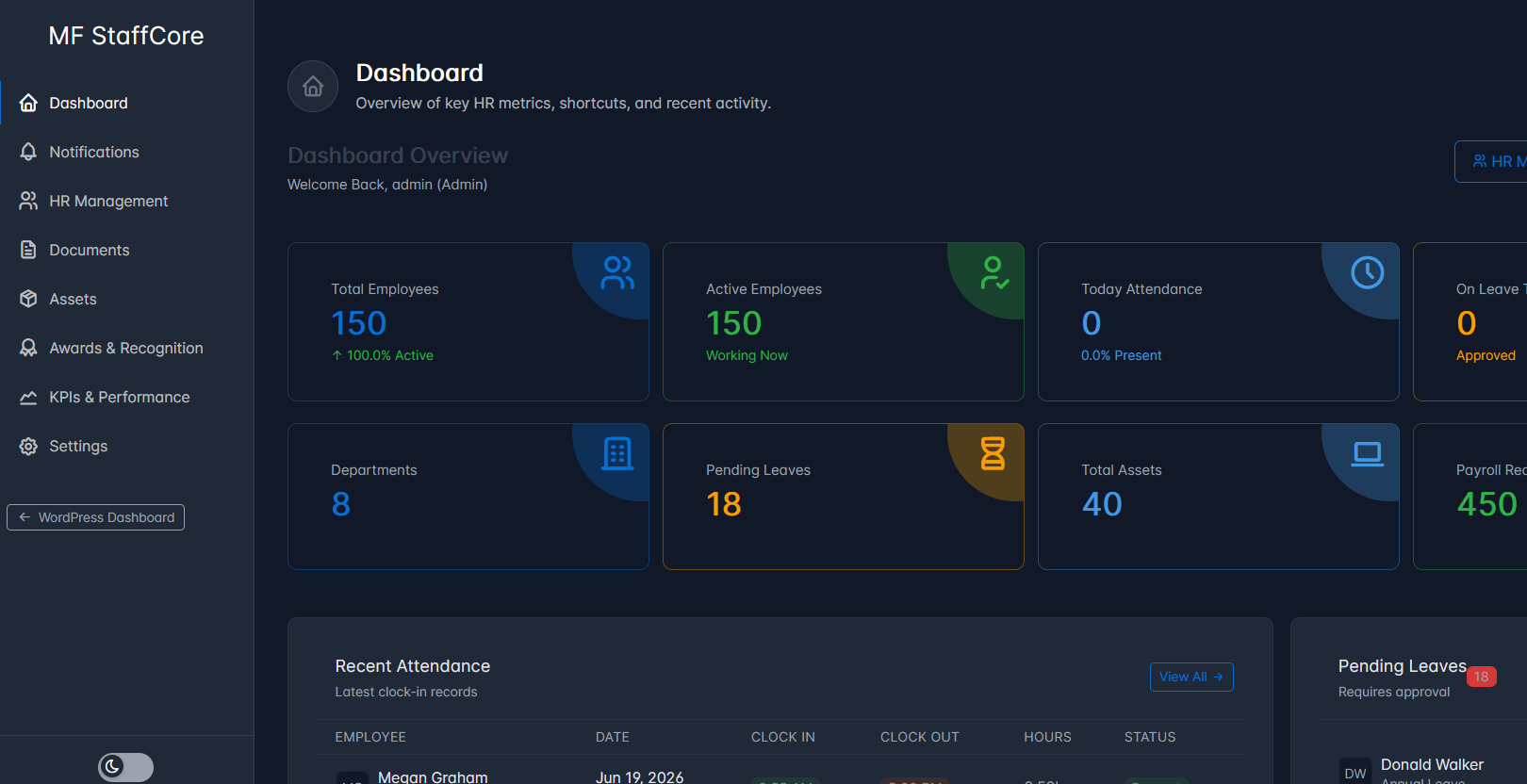
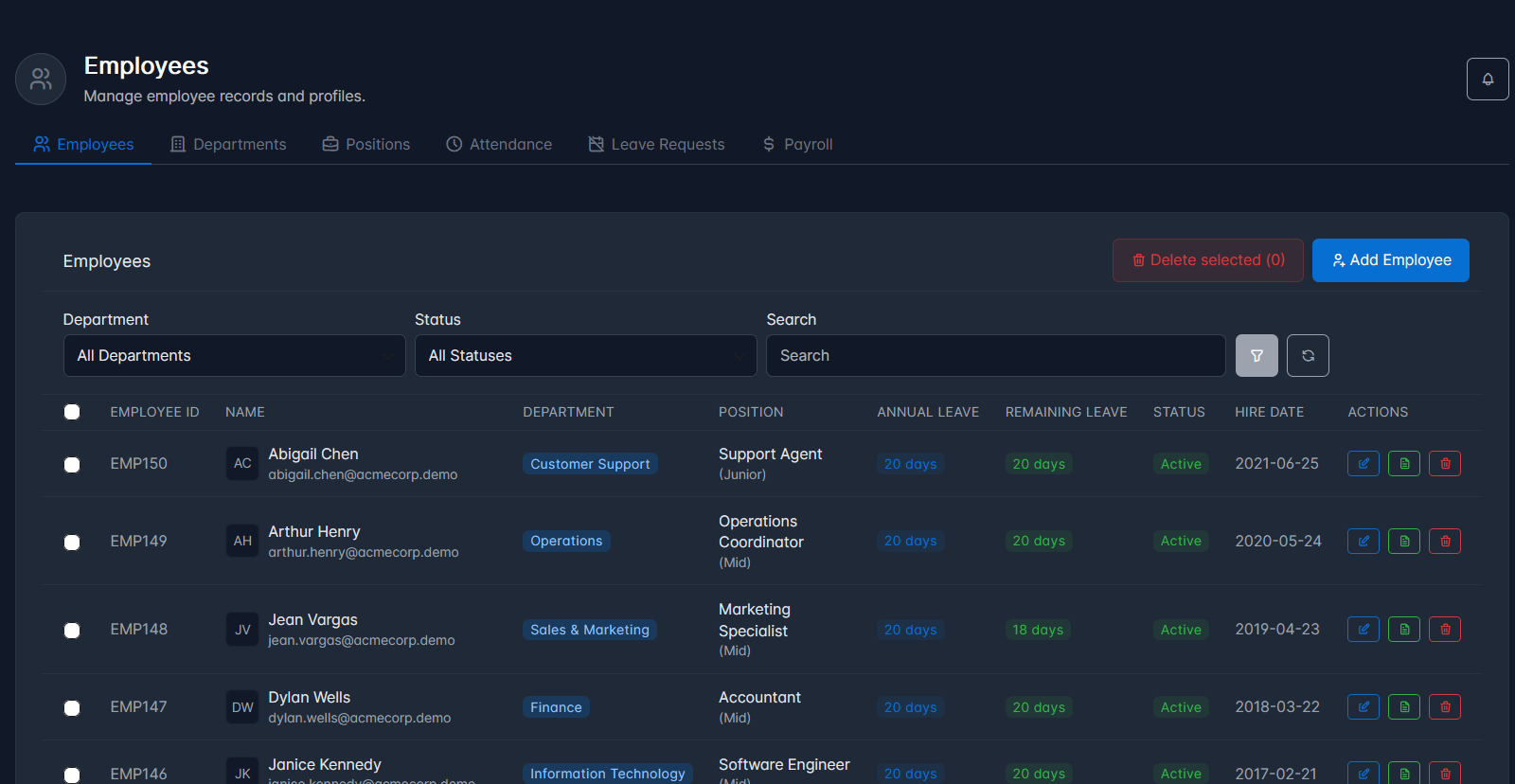
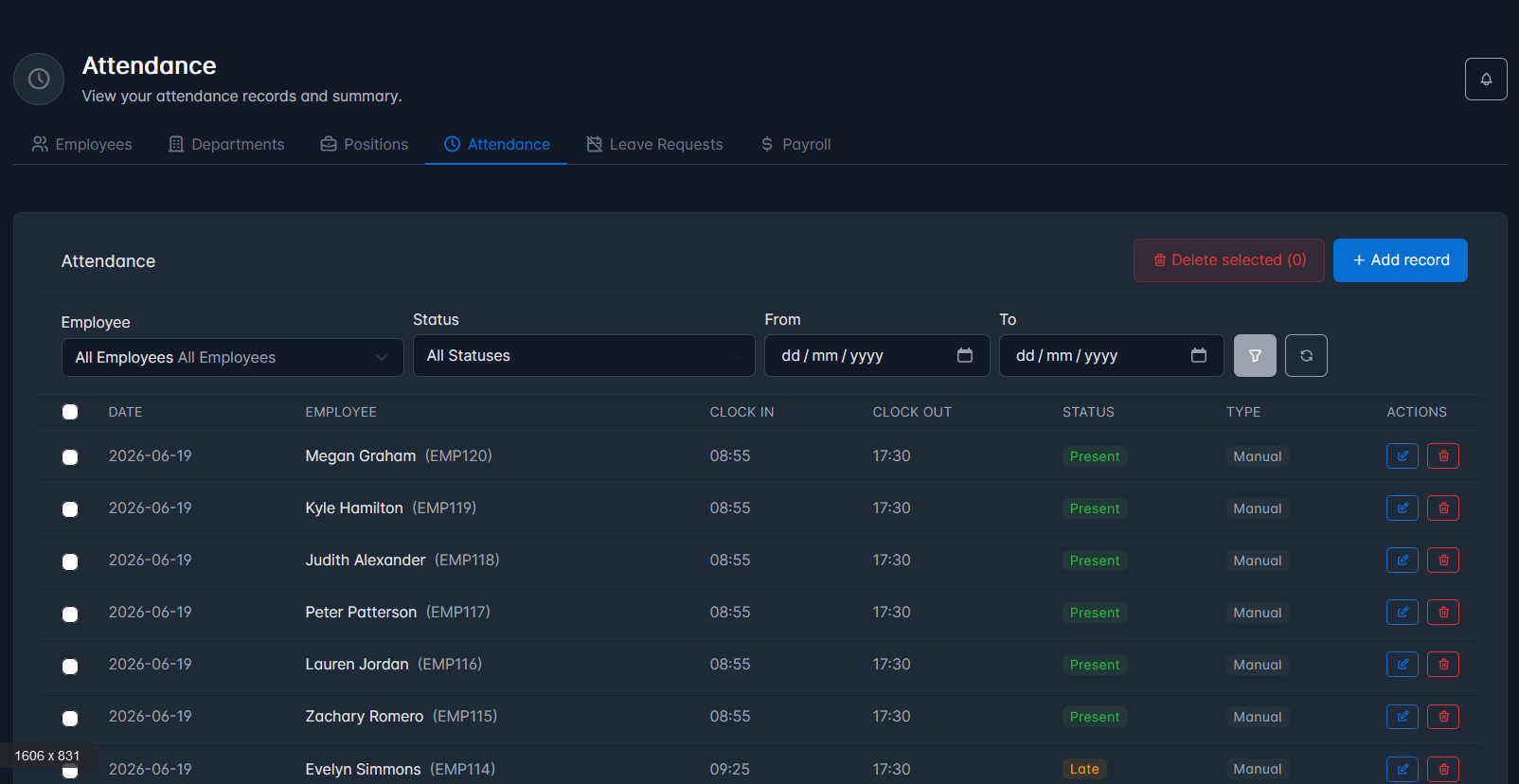
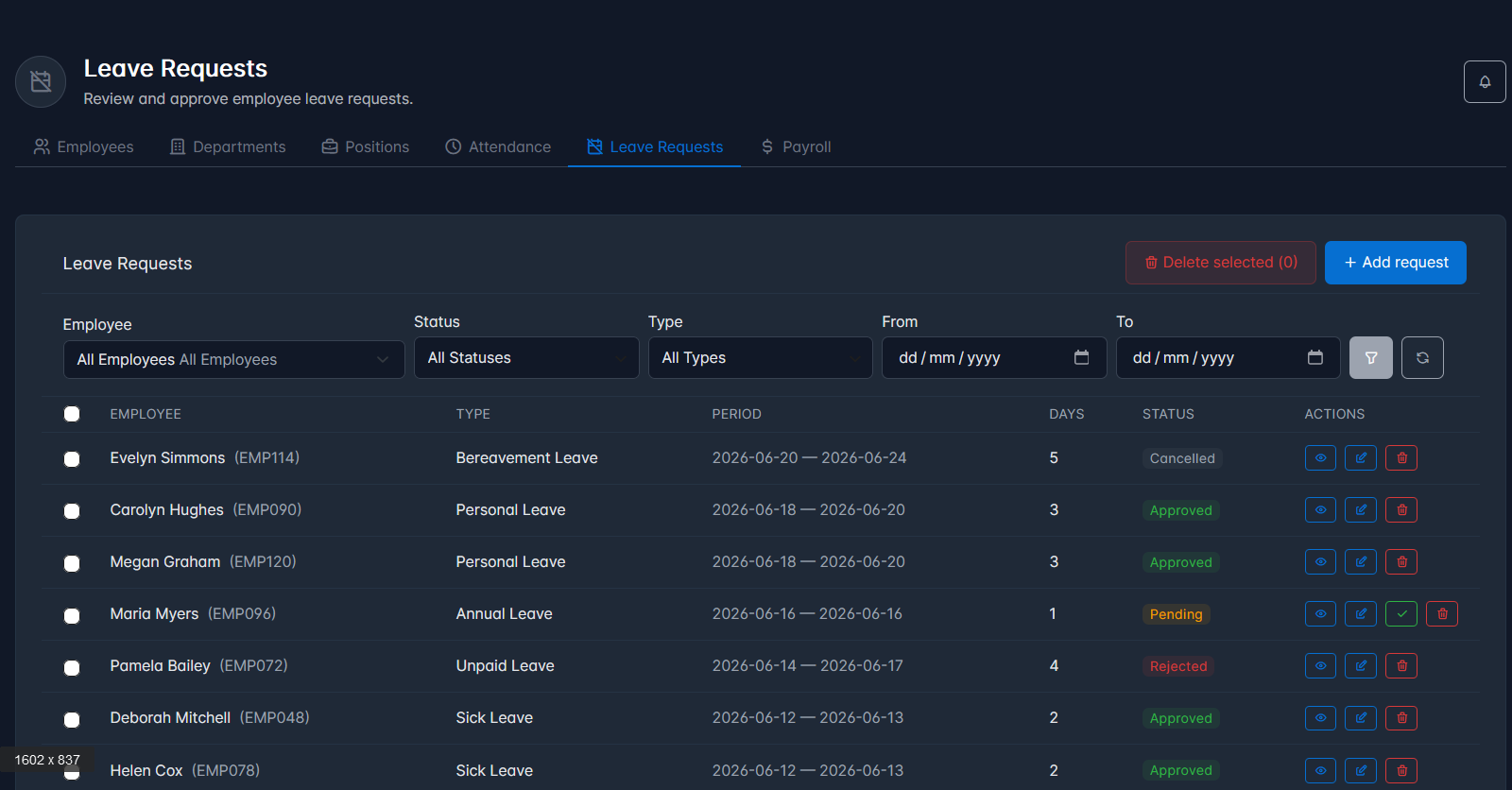
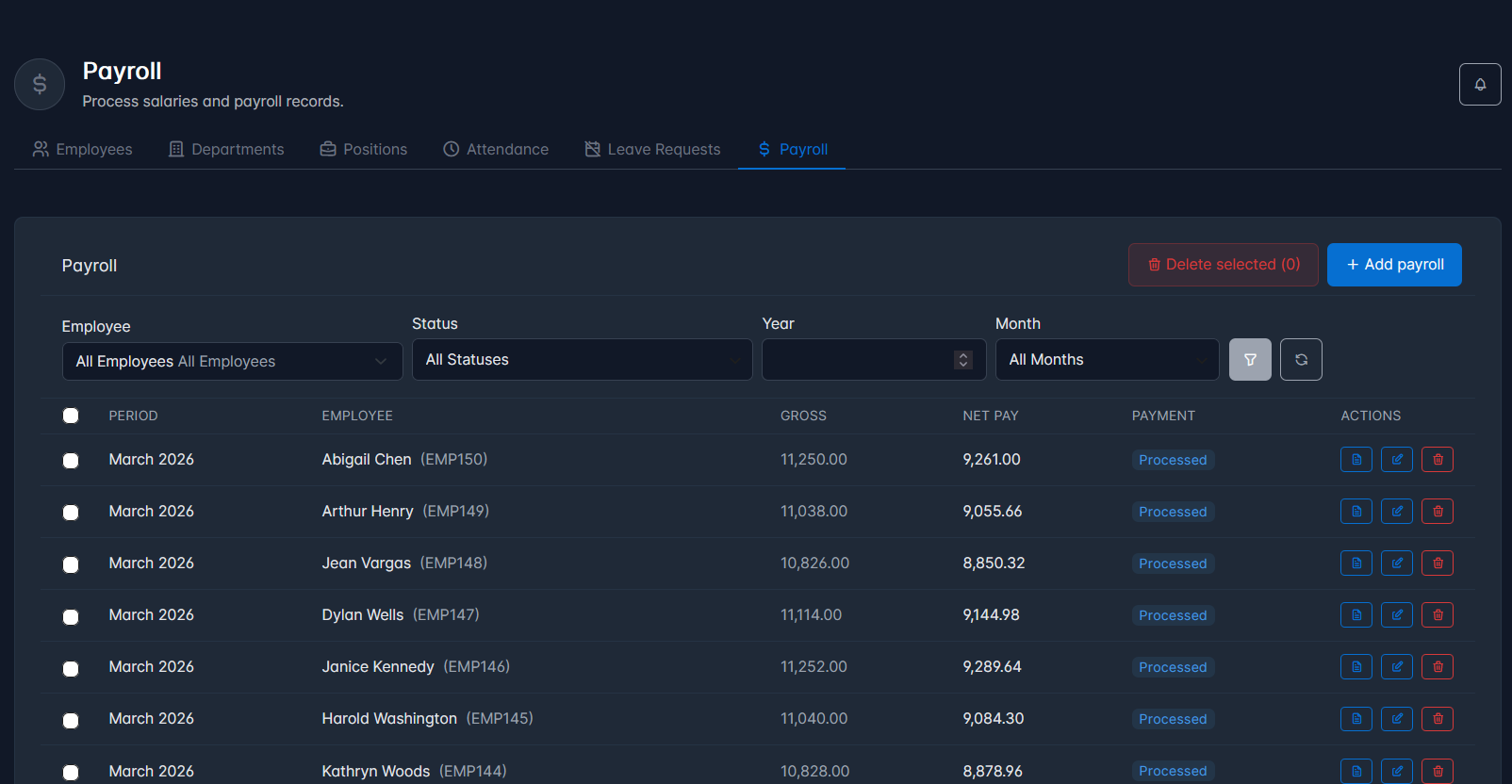
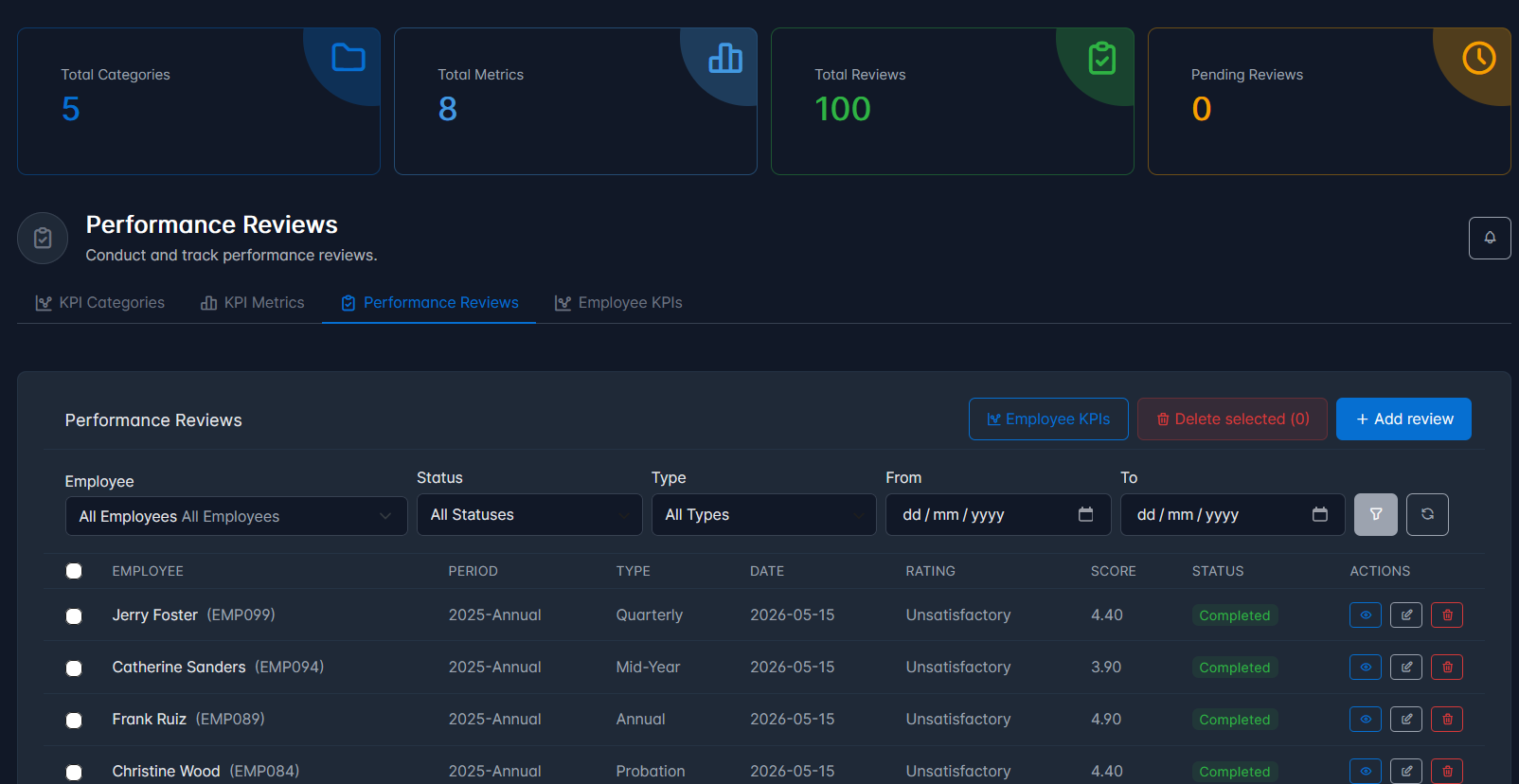
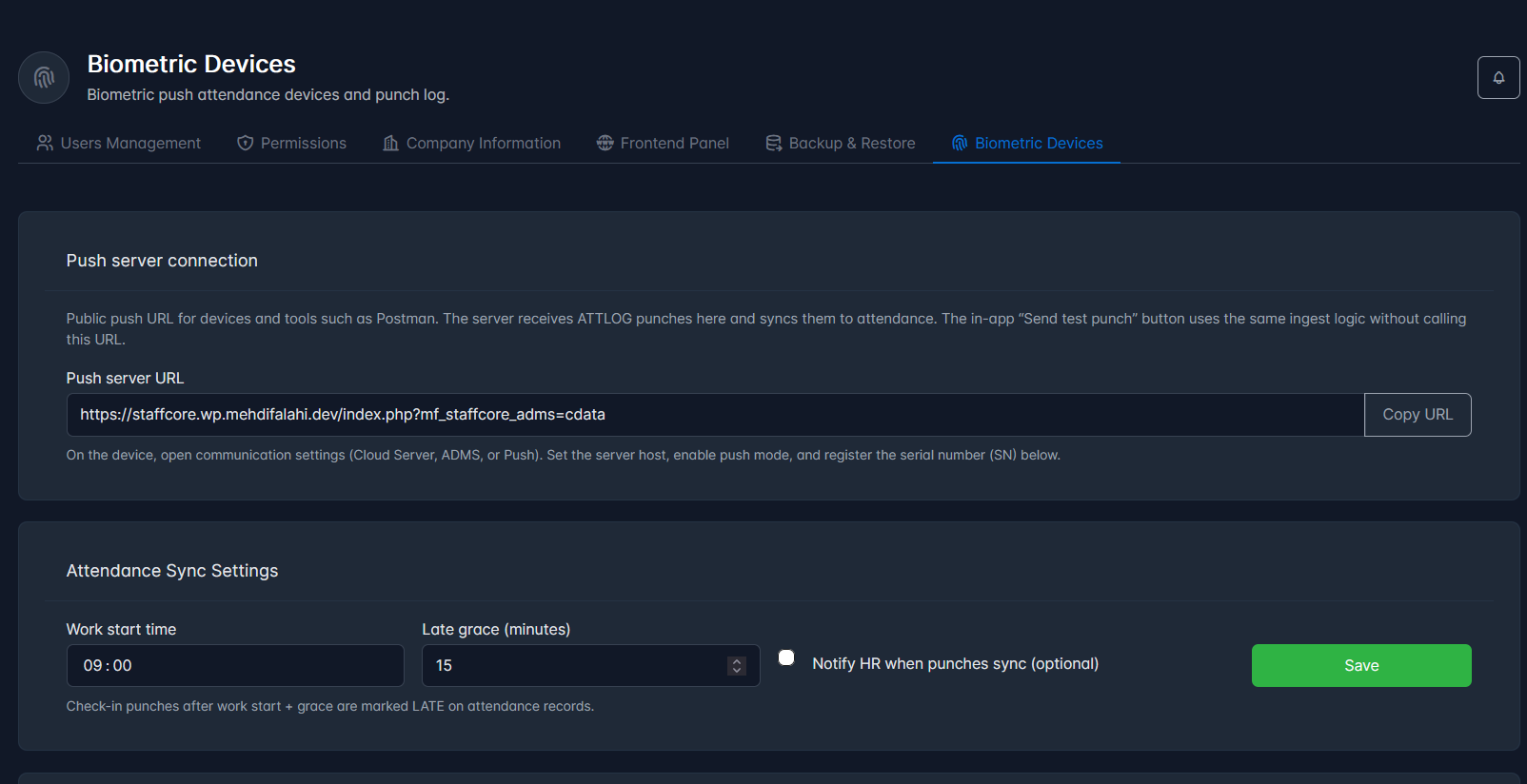
Taken from the WordPress demo. Same UI your team would use day to day.
What’s in the product
Lite and Pro share the same Tabler panel, roles, and frontend portal. Pro unlocks the modules marked below.
Dashboard & notifications
Role-scoped stats on the dashboard. In-app bell and inbox, no email spam. Both Lite and Pro.
HR management
Employees, departments, positions, attendance, leave, payroll, My Profile, and My Payslips. Lite: up to 20 employees.
Assets
Assets, categories, maintenance logs, and suppliers. Assign kit to staff and track upkeep. Included in Lite.
Team Performance
My Team workspace for line managers: departments and team members in manager scope. Both editions.
Documents Pro
Central HR document library with the same permission model as the rest of the plugin.
KPIs & performance Pro
KPI categories, metrics, performance reviews, and employee KPIs. Managers can be scoped to their team.
Awards Pro
Company awards and employee awards. Staff see their own awards through the portal when permitted.
Biometric attendance Pro
Push-compatible terminals send punches over HTTPS into attendance. No CSV imports or desktop sync tool.
Backup & restore Pro
Export StaffCore tables to CSV inside a ZIP, or run a full replace restore when you need it.
Three roles, already set up
Administrator, HR Manager, and Employee. Fine-tune access under Settings → Permissions.
Runs the system
- Every module and settings screen
- Link WordPress users and edit permissions
- Company details; backup & biometric (Pro)
- Company-wide lists and reports
Day-to-day HR
- Employees, attendance, leave, payroll
- My Team view for line managers
- Team-only KPIs and reviews when they're a dept manager
- No user admin unless you grant it
Self-service only
- Profile, leave, attendance, payslips (as allowed)
- Own documents, awards, and KPIs only
- Simpler sidebar, no HR admin menus
- Works through the frontend portal link
Lite vs Pro
Lite is free on WordPress.org. Pro is a one-time $39 purchase. Same database tables, so upgrading keeps your HR data.
MF StaffCore Lite
Free
Core HR for teams up to 20 employees. Ideal to try the workflow before you outgrow the limit.
- ✓ Dashboard, notifications, My Team
- ✓ Full HR tabs (employees capped at 20)
- ✓ Assets (all four tabs)
- ✓ Users, permissions, company info, frontend portal
- ✓ 3 roles, bulk delete, AJAX modals, mobile sidebar
- ✓ Updates via WordPress.org
MF StaffCore Pro
$39 USD · one-time
Everything in Lite, plus unlimited employees and the modules growing teams actually need.
- ✓ Unlimited employees
- ✓ Documents module
- ✓ Awards & recognition
- ✓ KPIs, metrics, performance reviews
- ✓ Backup & restore (CSV/ZIP)
- ✓ Biometric device sync + punch log
- ✓ Bulk link WordPress users
- ✓ Buyer updates & support channel
| Feature | Lite | Pro |
|---|---|---|
| Price | Free | $39 one-time |
| Employee records | Up to 20 | Unlimited |
| Dashboard & in-app notifications | ✓ | ✓ |
| HR Management (attendance, leave, payroll, …) | ✓ | ✓ |
| Assets & maintenance | ✓ | ✓ |
| Team Performance (My Team) | ✓ | ✓ |
| Frontend staff portal | ✓ | ✓ |
| Permission matrix (3 roles) | ✓ | ✓ |
| Documents | No | ✓ |
| Awards & recognition | No | ✓ |
| KPIs & performance reviews | No | ✓ |
| Backup & restore | No | ✓ |
| Biometric attendance sync | No | ✓ |
| Bulk link users | No | ✓ |
| License key in WordPress | Not required | Not required |
| Updates | WordPress.org | Author website |
Biometric attendance without a sidecar app Pro
Many offices already have a fingerprint or face terminal by the door. If yours supports ADMS / cloud push (the menu label varies by brand), StaffCore receives punches over HTTPS and writes them into HR → Attendance.
Register each device under Settings → Biometric Devices, point the terminal at the push URL WordPress gives you, and map device user IDs to employees. No desktop sync tool, no daily CSV upload.
- ✓ Punch log with filters. See what synced and what failed
- ✓ Work-start time and late grace for automatic late flags
- ✓ Optional API token and IP whitelist per device
- ✓ Test punch when setting up without hardware
- ✓ Queue time sync or reboot when the device polls the server
Try it before you buy
The live demo runs Pro with admin, manager, and employee logins. Lite is free on WordPress.org if you want to start smaller.